
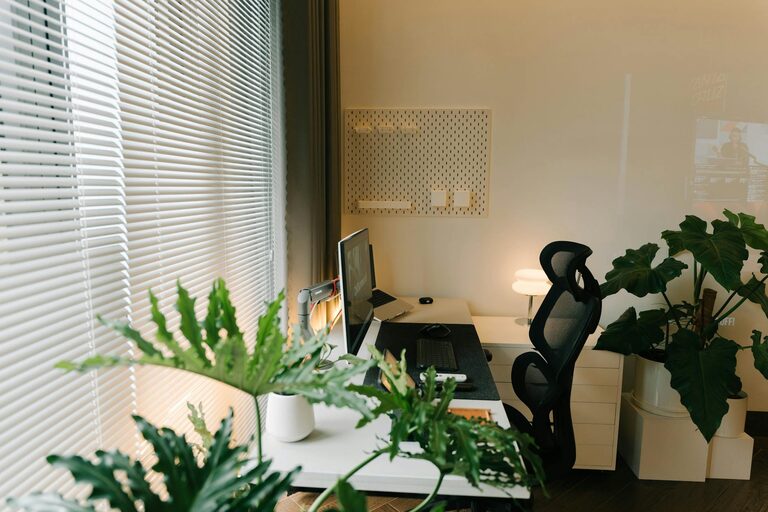
Creating a productive home workspace is essential for anyone working remotely or balancing home and professional life. A well-organised, comfortable, and inspiring environment can greatly improve focus, efficiency, and overall job satisfaction. Whether you have a dedicated room or a corner in the living room, there are simple steps you can take to transform your space into a productivity hub. This article shares useful tips to help you set up an efficient home workspace.
Choose the Right Location
Find a Quiet Spot
Selecting a quiet area is crucial to minimise distractions. Try to pick a room or corner with minimal foot traffic and noise. If possible, a separate room with a door is ideal, allowing for uninterrupted work and clear boundaries between work and leisure.
Consider Natural Light
Natural light has a positive effect on mood and concentration. Position your desk near a window if you can, but be mindful of glare on your computer screen. Use curtains or blinds to adjust light levels as needed throughout the day.
Invest in Comfortable and Functional Furniture
Ergonomic Chair and Desk
A comfortable chair with good back support is key to preventing strain during long hours of work. Adjustable chairs that encourage good posture are best. Likewise, the desk should be at a comfortable height to keep your arms and wrists in a natural position, reducing the risk of repetitive strain injuries.
Desk Size and Organisation
Choose a desk that fits your workspace without overcrowding the room. It should be large enough to hold your computer, necessary stationery, and a few personal items. Organising your desk regularly keeps clutter at bay and helps maintain a clear mind.
Minimise Distractions
Manage Technology and Notifications
Turn off unnecessary notifications on your devices during working hours to avoid constant interruptions. Consider using ‘Do Not Disturb’ modes or apps designed to reduce digital distractions.
Set Boundaries with Household Members
Communicate your working hours and space boundaries with family or housemates. Signage or “busy” indicators can be useful for reminding others when you’re focused on work tasks.
Optimise Lighting
Use a Combination of Light Sources
Apart from natural light, ensure your workspace has good artificial lighting. A combination of overhead lights and desk lamps allows you to adjust brightness according to the task and time of day, reducing eye strain.
Choose Warm or Neutral White Light
Select lighting with a colour temperature that is neither too harsh nor too dim. Warm or neutral white light tends to create a comfortable atmosphere without causing fatigue.
Keep Your Workspace Organised
Use Storage Solutions
Employ drawers, shelves, or organisers to keep papers, stationery, and devices tidy. Regularly declutter to prevent piles of documents from building up.
Cable Management
Messy cables can create distractions and reduce safety. Use clips, ties, or cable organisers to keep wires neatly arranged and out of the way.
Personalise Your Space
Add Plants or Decorative Items
Bringing in a few plants or photos can make your workspace feel inviting and boost morale. Plants also improve air quality and add a touch of nature indoors.
Choose Colours that Motivate
Some colour choices can influence productivity. Soft blues and greens are calming, while brighter colours like yellow can inspire creativity. Pick what suits your working style best.
Maintain Healthy Habits
Take Regular Breaks
Breaks throughout the day help maintain concentration and energy. Apply techniques like the Pomodoro method—working for 25 minutes, then taking a 5-minute break—to structure focus periods.
Stay Hydrated and Stretch
Keep water nearby and remember to stay hydrated. Taking a few moments to stretch helps reduce muscle tension, especially if you spend long periods seated.
Use Technology to Support Productivity
Utilise Productivity Apps
Tools like task managers, calendar apps, or focus timers can keep you on track, ensuring deadlines and priorities are clear.
Ensure Reliable Internet Connection
A stable internet connection is vital for virtual meetings, research, and communication. Test your connection and upgrade your hardware or service if necessary.
Final Thoughts
Setting up a productive home workspace does not require a large budget or perfect conditions. With thoughtful planning, attention to comfort, and clear boundaries, you can create a space that supports your professional goals and personal well-being. Experiment with these tips to find what works best for you and make your home working experience both efficient and enjoyable.