
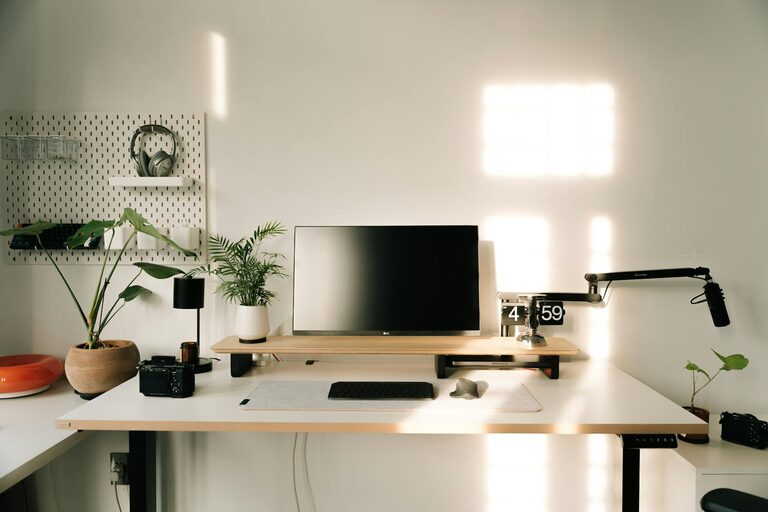
Creating a home workspace that is both relaxing and productive can transform the way you work. Many people find it challenging to maintain focus outside a traditional office environment, and comfort is often overlooked in favour of functionality. However, a well-designed workspace encourages creativity, reduces stress, and boosts efficiency.
In this post, we’ll explore simple, effective tips to help you set up an ideal home workspace that supports both your well-being and productivity.
1. Choose the Right Location
Find a Quiet Spot
The first step is selecting an appropriate area in your home. Ideally, pick a spot with minimal distractions and background noise. This could be a spare room, a quiet corner in the living room, or even a dedicated nook.
Consider Natural Light
Natural light not only brightens the room but also improves mood and alertness. Position your desk near a window if possible. If natural light is limited, invest in good quality artificial lighting that mimics daylight to reduce eye strain.
2. Invest in Comfortable Furniture
Ergonomic Chair
A supportive chair is essential for long hours at your desk. Choose one that promotes good posture with adjustable height, lumbar support, and comfortable cushioning.
Suitable Desk
Your desk should be at a height where your forearms are parallel to the floor when typing. A spacious surface allows you to keep essential items within reach, helping you stay organised.
3. Organise Your Space Efficiently
Declutter Regularly
A cluttered workspace can cause unnecessary stress and reduce focus. Keep your desk tidy by organising papers and office supplies in trays, drawers or containers.
Use Storage Solutions
Shelving units, filing cabinets and desk organisers help to keep everything in its place. Labelled boxes or folders make it easier to find documents quickly.
4. Personalise Without Overcrowding
Adding personal touches can make your workspace inviting and increase motivation. Consider:
– Framed photos or artwork
– Inspirational quotes
– A small plant
Avoid overcrowding the space, as too many items can become distracting.
5. Incorporate Technology Wisely
Essential Equipment
Ensure you have the necessary tools such as a reliable computer, printer and high-speed internet connection. Keep cables neatly arranged with clip-on organisers or under-desk trays.
Minimise Distractions
Limit notifications from social media or non-work apps during work hours. Use “Do Not Disturb” settings where possible to maintain focus.
6. Create a Calming Atmosphere
Colour Matters
Soft, neutral colours like pale blues, greens or greys have a calming effect. Paint your workspace or use accessories like cushions and rugs in these shades.
Add Soothing Elements
Consider a desk diffuser with gentle scents such as lavender or eucalyptus. Background music or ambient sounds can also aid concentration if you find silence distracting.
7. Take Regular Breaks
Working without breaks can lead to fatigue and decreased productivity. Use techniques such as the Pomodoro method—working for 25 minutes, then taking a five-minute break—to stay refreshed.
Stand up, stretch or take a brief walk to improve circulation and reduce tension.
8. Maintain a Healthy Work Routine
Set clear boundaries between work and personal time, especially if your workspace is within a shared area. Dress for work as you would in an office to switch into a professional mindset.
Use calendars or planners to structure your day, prioritising tasks and setting achievable goals.
Final Thoughts
Designing a home workspace that supports both relaxation and productivity is about balance. By carefully choosing your location, investing in ergonomic furniture, organising efficiently, and adding personal and calming touches, you can create an environment that enhances your work performance and overall well-being.
Remember, the best workspace is one that feels comfortable and motivates you to do your best. Take the time to adjust and refine your setup until it suits your unique needs.